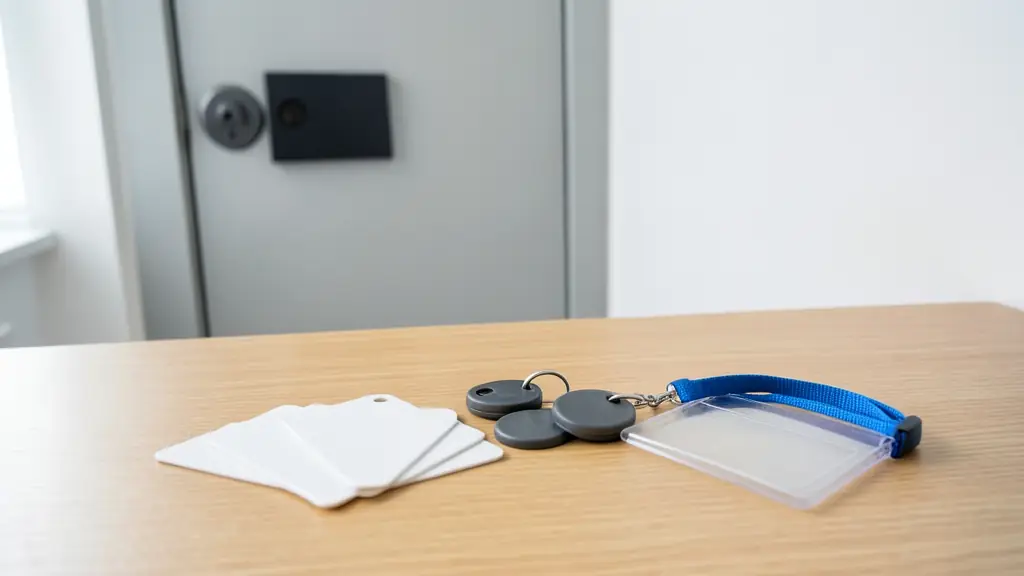
Hold two white cards side by side and they look the same. One may carry a plain number that anyone with a cheap cloner can copy in seconds; the other may hold encrypted sectors that refuse to talk to a reader without the right key. That difference decides whether your complex keeps dealing with copied tags. RFID, radio frequency identification, simply means the card or tag answers a reader by radio when it comes close. This page explains the kinds of access cards and tags, why cloning matters, and how to issue and cancel them properly.
The main kinds of card and tag
- 125 kHz proximity cards and fobs: cheap, still everywhere, read at a few centimetres. They send a fixed number with no encryption, so they are easy to copy.
- 13.56 MHz smart cards: the same frequency as NFC. Better types hold encrypted sectors and use a challenge between card and reader, which makes cloning much harder.
- Key fobs and stickers: the same chips in a different shape, for a key ring or the back of a phone.
- UHF windscreen tags: read from metres away at a boom, so the driver does not stop or open a window. See number plate recognition for the alternative.
- Mobile credentials: the phone acts as the card over Bluetooth or NFC, issued and cancelled remotely.
Why cloned tags push complexes to switch
When a 125 kHz tag can be copied at a kiosk for little money, the body corporate loses control of who holds a working tag. Former tenants keep copies, domestic workers get extras made, and a lost tag may already exist in three pockets. Cancelling the original does nothing if the copy carries the same number.
Moving to 13.56 MHz encrypted cards, UHF tags or biometrics means replacing or adding readers, so plan it as a project: one cut over date, every resident re-issued, old numbers deleted. The estate access control page covers the gatehouse side, and access control systems the controllers behind the readers.
Photo cards, holders and lanyards
In an office, a factory or a hospital the card often doubles as an ID badge. A card printer adds the photo, name and department, and a clear holder on a lanyard or a reel clip keeps it visible. Print nothing on the card that tells a finder which building it opens. Rigid holders protect the chip from bending; cards kept in a wallet behind a bank card can read poorly at the door reader.
A routine for lost and leaving cards
- Give every card a record in the software that ties its number to one person.
- When someone reports a card lost, block it in the software the same day, before issuing a new one.
- When someone leaves, collect the card and delete or block it on their last day.
- Charge a replacement fee if your house rules allow it, so cards are looked after.
- Run a report each quarter of cards with no use in months and check who holds them.
What to put in your request
- Say how many cards, fobs or tags you need
- Give the reader make or a photo of one
- Say if cloned tags are a problem now
- Ask whether readers must be replaced
- Ask about photo printing and holders
Access Cards and Tags for homes, estates, offices, factories and schools
- Homes: a few fobs for the family and the domestic worker at the pedestrian gate
- Estates, complexes and body corporates: encrypted tags or UHF windscreen tags to end copied remotes and cloned fobs
- Offices and practices: photo ID cards that open the doors, the lift and the printer
- Factories, warehouses and mines: cards on lanyards at turnstiles, stores and the canteen, cancelled on leaving
- Shops, restaurants and filling stations: staff cards for the back door, the stockroom and the cash office
- Schools, colleges and creches: staff cards for the staff room and labs, and learner cards where parents agree
- Clinics, hospitals and pharmacies: photo cards for wards, the pharmacy store and records rooms
- Farms, smallholdings and lodges: fobs for the workshop, the chemical store and the farm office