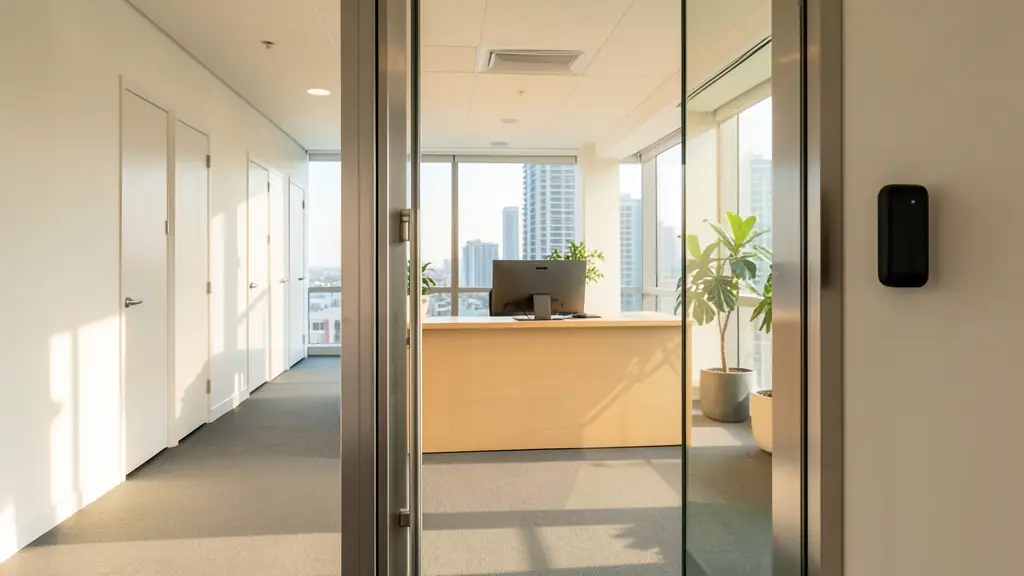
An office is not one door, it is several rooms with different rules. The front door should let staff in and send everyone else to reception. The server room should open to two or three people. The cash office or the HR files need a record of every entry. Cleaners need access in the evening, and only to the rooms they clean. Start by listing the rooms and who may enter each one, at which hours; the readers and locks follow from that list, not the other way round.
The front door and reception
Staff use a reader on the main door; visitors press an intercom or wait at reception, which can release the door from a button at the desk. Glass doors in aluminium frames usually take a maglock along the top or a lock in the frame; the door needs a closer that shuts it every time. If the office has a fire exit door, it must open from the inside without a card. Check with the fire engineer or the fire department which doors are escape routes.
For visitors, a register at reception, badges and a host who is told when their guest arrives keep the floor tidy. See visitor management systems for doing it without paper.
Cards, fingers or faces for staff
- Cards and tags: quick, cheap to replace and easy to cancel. Prefer 13.56 MHz encrypted cards over 125 kHz proximity cards, which are easy to copy.
- Fingerprint: no card to lose or lend. Office workers usually read well, but keep a card or PIN for those who do not.
- Face recognition: touchless and fast at the front door. Watch for strong backlight through a glass facade.
- Mobile credentials: the phone over Bluetooth or NFC, handy for hybrid staff who are seldom in.
Biometrics are special personal information under POPIA, so offer an alternative to anyone who does not consent. If the same terminal also clocks staff in, the data can feed time and attendance.
Rooms with stricter rules
- Server room: a short list of people, a door contact that alarms if the door is held open, and possibly a card plus fingerprint at the reader.
- Cash office or safe room: two factor entry, a log of every opening, and no access outside working hours.
- HR and records: access only for HR staff, with events kept as long as your policy says.
- Stores and stationery: a simple card reader so you know who went in.
The access control planner counts the readers, locks and power supplies for your rooms.
After hours, cleaners and shared buildings
Time zones let cleaners in from six to nine in the evening, through the front door and the kitchen but not the server room. Contractors get access that expires at the end of the job. In a shared building, the landlord often runs the ground floor turnstiles, the parking and the lifts on their own system. Ask the building manager whether your floor can use the same cards, or whether staff will carry two. Lift control can limit each card to its own floor. Lobbies with heavy traffic may use speed gates.
What to put in your request
- List each room and who may enter it
- Give the number of staff and cleaners
- Say whether the landlord has a building system
- Say whether staff should clock from the reader
- Ask how the doors behave in load shedding
Office Access Control for homes, estates, offices, factories and schools
- Homes: a home office or flatlet with a reader on its own door, separate from the house
- Estates, complexes and body corporates: the estate's management office and clubhouse on the same cards as the gates
- Offices and practices: the front door, reception release, server room and cleaners' after hours access
- Factories, warehouses and mines: the admin block of a factory, kept separate from the shop floor readers
- Shops, restaurants and filling stations: head office above the store, with the cash office on stricter rules
- Schools, colleges and creches: the admin block, principal's office and records room locked to office staff
- Clinics, hospitals and pharmacies: a practice with reception, consulting rooms and a records room on separate rules
- Farms, smallholdings and lodges: the farm office and payroll room locked apart from the stores and pack house