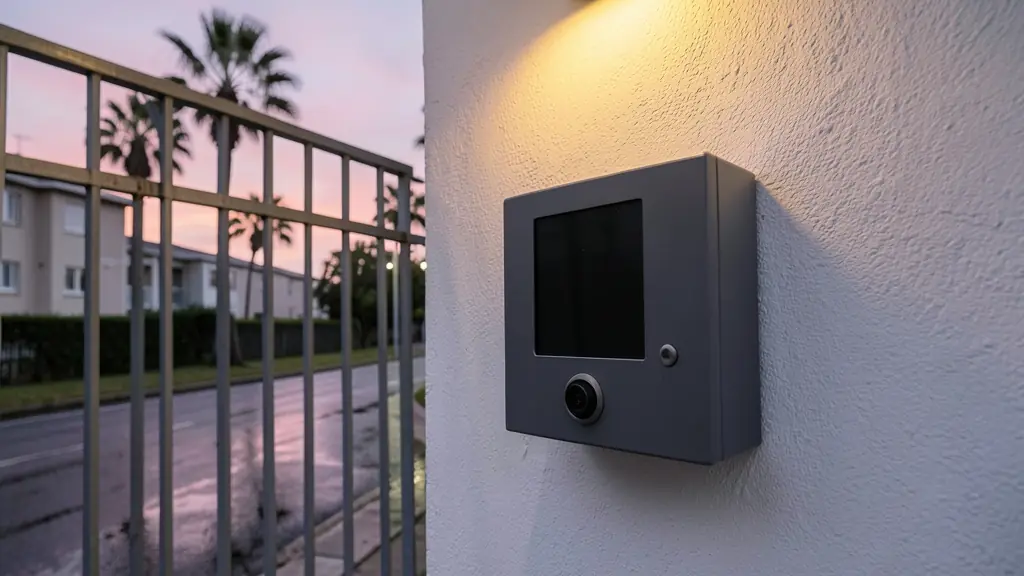
The point of adding a camera is simple: you want to see the person before you decide. In practice the picture is only as good as the station at the gate, which faces afternoon sun, rain, salt air and the occasional kick. This page works from the camera outward: a usable picture by day and night, the monitors inside, answering on your phone, recording callers, video doorbells against wired systems, and vandals and power failures.
What the outdoor camera has to cope with
- Field of view: a wide angle lens shows the caller and whoever stands beside them. Ask for a sample picture taken at a real gate.
- Night: infrared or a white light near the station lets you see a face after dark. A wall light above the station helps any camera.
- Sun and glare: a station facing west into the late sun can show a dark silhouette. A hood, a slight angle, or a camera with good backlight handling helps.
- Height: mount it where a face fills the picture, and think about callers in cars as well as on foot.
Monitors on the wall and the phone in your pocket
Indoor monitors show the caller, let you talk and have a release button for the gate or door. Many systems take more than one, say the kitchen and the main bedroom, and some let one monitor call another like a house phone.
An intercom that answers on your phone over Wi-Fi lets you see a courier while you are at work and open the gate remotely. It depends on the home Wi-Fi reaching the station or the monitor, and on the internet being up, so keep the wired monitor as the main way to answer. Pairing it with a smart lock lets you open the front door as well.
Video doorbell or wired video intercom
A video doorbell is a battery or low voltage unit for a front door, talking to the phone over Wi-Fi. It suits a townhouse where the door is the first point a visitor reaches. It usually cannot open a gate motor on its own and depends on the Wi-Fi reaching it.
A wired video intercom has a station built for the gate, a cable to the house, monitors, and relays to release a gate lock and trigger the motor. For a house behind a gate, a long driveway or a block of flats, it is usually the better fit. The basics of cable types are on intercom systems.
Before you sign: vandals, power and recordings
- Ask for the station's IK rating for impact and its IP rating for rain, and choose a metal housing at a street gate.
- Ask whether the station, monitors and gate release keep working in a power failure, and from which battery.
- Check whether callers are recorded as pictures or clips, where they are stored and for how long.
- If the system records visitors at a complex, the body corporate should treat it as personal information under POPIA; see biometric data and POPIA.
What to put in your request
- Say which way the gate faces for sun glare
- Say how many indoor monitors you want
- Ask whether it answers on a phone app
- Ask for the IK and IP rating of the station
- Ask what runs in a power failure
Video Intercoms for homes, estates, offices, factories and schools
- Homes: a camera at the driveway gate and a monitor in the kitchen, answered on the phone too
- Estates, complexes and body corporates: a video panel at the pedestrian gate calling each unit's monitor or app
- Offices and practices: reception sees the street door caller before buzzing them in after hours
- Factories, warehouses and mines: the guardhouse sees drivers at the truck gate before raising the boom
- Shops, restaurants and filling stations: staff check the face at the back door before a delivery comes in
- Schools, colleges and creches: the front office sees visitors at the gate before releasing the lock
- Clinics, hospitals and pharmacies: the duty pharmacist sees an after hours caller before opening the hatch
- Farms, smallholdings and lodges: the farmhouse sees who is at the yard gate without walking out at night