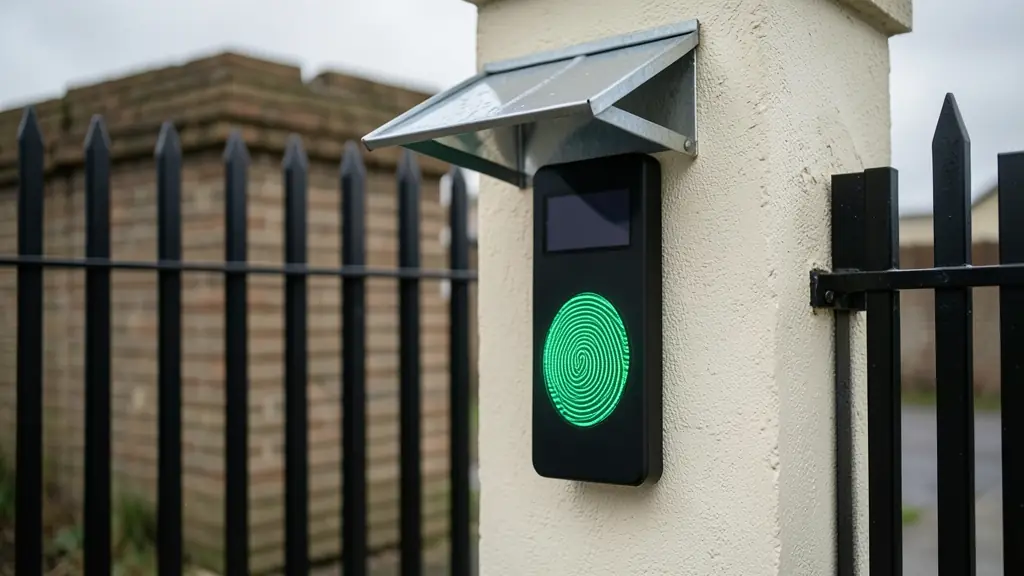
The demo always works: a clean office finger on a new sensor, a green light, a click. The real test comes at 06:00 on a building site in July, when a bricklayer with cold, cracked fingers presses the reader three times and gives up. Fingerprint scanners are the cheapest and most common biometric at a door, and they work well when the sensor suits the hands, the enrolment is done properly and there is a plan for the few people who will never read. This page is about getting those three things right.
Three kinds of sensor, and what each one copes with
- Optical: a lit prism and a small camera. Hard wearing and common on wall readers and clocking terminals, but very dry or very wet fingers can give a faint image.
- Capacitive: reads the ridges electrically on a small chip. Found in most fingerprint door locks; compact, but the small area sees less of the finger.
- Multispectral: reads below the surface of the skin as well as on it, so it does better with worn, dirty or wet fingers. It costs more, and on a factory or farm it often pays for itself in fewer complaints.
When a finger will not read: symptom and cause
- Works in the afternoon, fails at dawn: cold, dry skin. Enrol a second finger, and let people rub their hands first.
- One worker never reads: worn ridges from bricks, chemicals or age. Switch that person to finger plus card, or a card alone.
- Everyone fails after lunch: the sensor is smeared with grease, sunscreen or cement dust.
- Reads slowly as staff numbers grow: 1:N searching through a large template list. Consider 1:1 with a card.
- Random rejects all day: the threshold is set too strict. See the error rate calculator.
Finger alone, or a card first and then the finger
With 1:N, the person just presents a finger and the reader searches every template. It is convenient for a small office or a family, but the chance of a false match rises with the number of people enrolled, and the search slows.
With 1:1, a card or PIN first tells the reader who you claim to be, and the finger only has to match that one template. It is faster on a large site, more accurate, and it gives you a built-in fallback. Many factories run 1:1 at the main entrance and 1:N on a few internal doors.
Mounting outdoors and keeping the sensor clean
- Choose a reader rated IP65 or better for any gate or outside wall.
- Fit a hood so direct sun and rain never fall on the sensor glass.
- Mount it at the height and angle the maker gives, on the side people approach from.
- Enrol two or three fingers per person, from both hands, at the reader they will use.
- Wipe the sensor with a soft dry cloth as part of the daily routine; never use solvents.
- Check the reject log monthly and re-enrol anyone who keeps failing.
What to put in your request
- Describe the users' work and their hands
- Say whether the reader is indoors or outdoors
- Ask for multispectral as an option
- Ask how people without a readable print get in
- Request a trial reader before the full order
Fingerprint Access Control for homes, estates, offices, factories and schools
- Homes: a finger reader on the garage side door, with a code for the domestic worker
- Estates, complexes and body corporates: a finger reader on the clubhouse and gym doors so only residents get in
- Offices and practices: staff use a finger at the front door and a stricter 1:1 check at the server room
- Factories, warehouses and mines: multispectral readers at the staff gate, with cards for the few who never read
- Shops, restaurants and filling stations: the stockroom and back door open only to fingers enrolled for that shift
- Schools, colleges and creches: finger readers on the staff room and the science store, not on learner gates
- Clinics, hospitals and pharmacies: the medicine room opens to two or three enrolled nurses and logs each entry
- Farms, smallholdings and lodges: a hooded outdoor reader at the pack house, with two fingers enrolled per worker