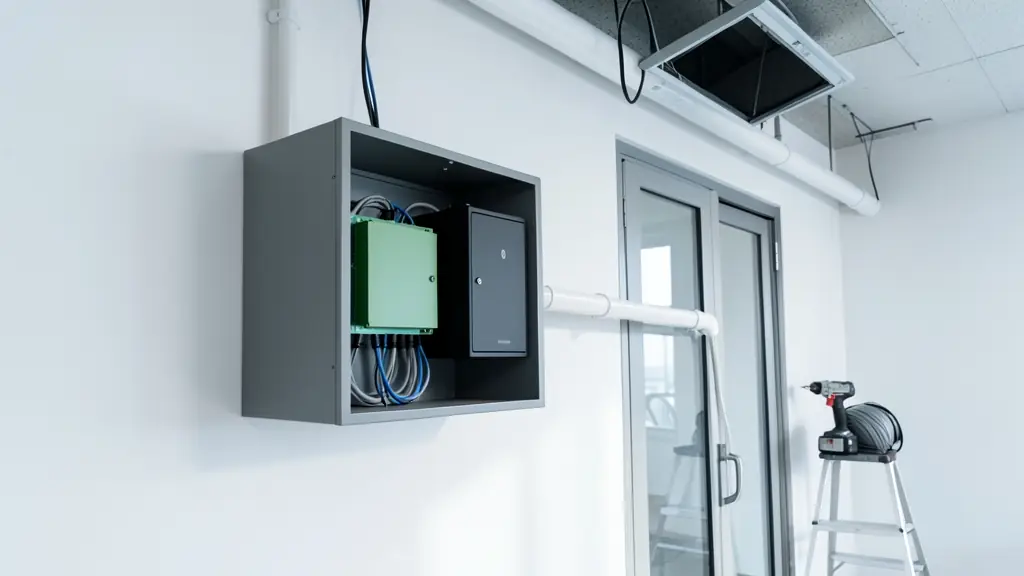
Two companies can quote the same readers and locks and still give you very different systems, because the difference is in the installation. One surveys every door, runs cable in conduit, gives the power supplies a proper battery and tests each door with you. The other mounts readers where the cable reaches and leaves before anyone has been enrolled. Here is what a good access control installation looks like, stage by stage, so you can tell the two apart before you sign.
Before any cable is pulled
A proper job starts with a site survey: the installer walks every door with you and writes a door schedule. For each door it lists the reader outside, the lock (maglock, electric strike or motor lock), the exit button or exit reader inside, the break glass unit, the door contact and closer, and which power supply feeds it. It also notes the door material, which way it swings, and whether it is on an escape route.
If a quote arrives without a survey, ask for one. You can do a first pass yourself with the access control planner, which counts the parts for your doors and users. The access control systems page explains what each part does.
Cable, power and the fire alarm link
- Cable routes: shielded multicore cable to readers and locks, network cable to IP terminals, all in conduit or trunking, not loose in the ceiling or clipped along a skirting.
- Power supplies: each with a battery sized for the backup you want. Use the backup battery calculator to check it covers your load shedding stage.
- Mains wiring: any new plug points or circuits for the power supplies need a registered electrician and a CoC.
- Fire alarm: escape doors must release when the fire alarm sounds. Check with the fire engineer or the fire department which doors are on escape routes.
- Mounting heights: readers and terminals at the height the maker gives, exit buttons within easy reach, outdoor readers with a hood.
Enrolment day and testing every door
- Load the user list, groups and time zones into the access control software before anyone queues.
- Enrol users in batches by department or shift. For fingerprints, enrol two or three fingers each and issue a card or PIN to anyone who reads poorly.
- Test each door: valid user in, invalid user refused, exit button out, break glass release, door forced and door held open alarms.
- Pull the mains plug on each power supply and check the doors stay locked or release as designed.
- Trigger the fire alarm link and confirm every escape door opens.
Handover, training and who did the work
At handover you should get a file: the final door schedule, a cable and power supply layout, the software login for the administrator, the electrical CoC, the warranty terms and the service plan options. Someone on your side should be trained to add and delete users and run reports, and to know who to phone when a door fails.
Under the Private Security Industry Regulation Act, installing security equipment is a security service, so ask for the company's PSIRA registration before work starts. Plan the upkeep from day one with access control maintenance.
What to put in your request
- List every door and what it is used for
- Say how many users need to be enrolled
- Ask for a site survey and a door schedule
- Ask for the battery backup time per door
- Ask for the PSIRA number and the CoC
Access Control Installation for homes, estates, offices, factories and schools
- Homes: a fingerprint reader on the side door and a keypad on the garage, cabled neatly
- Estates, complexes and body corporates: readers at the pedestrian gates and the clubhouse, cabled back to the guardhouse
- Offices and practices: a reader on each floor's door, a controller per riser and a link to the fire alarm
- Factories, warehouses and mines: outdoor readers with hoods at the staff gate, cabled in conduit across the yard
- Shops, restaurants and filling stations: the back door, the cash office and the storeroom on one controller
- Schools, colleges and creches: staff room, labs and the admin block fitted during the holidays
- Clinics, hospitals and pharmacies: the dispensary, records room and staff entrance wired with battery backup
- Farms, smallholdings and lodges: readers at the pack house and stores, with long cable runs in buried conduit