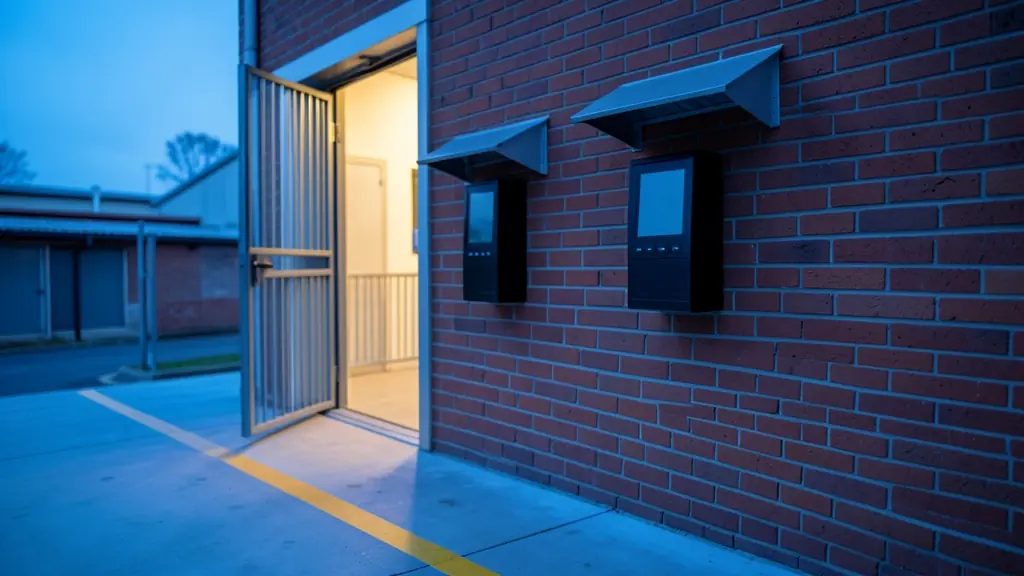
On a Monday at 06:00 the factory gate tells you a lot. One worker swipes three cards, a friend punches a PIN for someone still on the taxi, and payroll pays for hours nobody worked. A biometric clocking terminal ends that, because the finger or the face has to be at the wall in person. This page covers the terminal itself: which credential survives dust and cement, how many terminals a shift change needs, where to mount them, and what happens to the clockings when the power or the network goes down.
Why cards and PINs let buddy clocking through
A clock card or a tag proves that the card was there, not the person. Cards get handed over at the gate, PINs get shared on a group chat, and a supervisor checking faces at 06:00 on three shifts is not a realistic control. The hours on the payslip are still wrong.
A biometric terminal ties the clocking to a template made from the person's finger or face at enrolment. It is not a stored photograph: the terminal compares a new scan to that template and accepts it above a set threshold. The time and attendance software then turns those clean clockings into hours.
Finger, face or card on a dusty floor
- Fingerprint: the usual choice and often the cheapest terminal. Bricklayers, pack house staff and cleaners who handle chemicals can have worn ridges, so enrol two or three fingers each. See fingerprint access control.
- Face: touchless and quick at a queue, but hard hats, dust masks and a west facing doorway in the afternoon sun lower read rates. Read face recognition access control first.
- Card plus finger: the card says who you claim to be and the finger confirms it, a quick 1:1 check.
- PIN as a fallback only: for the few who cannot read, logged so a manager sees how often.
How many terminals, and where they go
A shift change is a queue problem. If 180 people arrive in the same fifteen minutes, one terminal may not clear them before the siren, and a long queue invites people to skip clocking. The clocking terminal calculator works out the count from your headcount and the window you allow.
Mount the terminals inside the gate or at the staff entrance, out of direct sun and rain, at the height the maker gives. An outdoor unit needs IP65 or better and a hood. Where staff pass a turnstile anyway, a reader on the turnstile can clock and control entry at once.
When the power or the network drops
- Load shedding at shift start: without a battery the terminal is dead and nobody clocks. Ask for a backup supply sized with the backup battery calculator.
- The network or the internet is down: a good terminal keeps clocking offline and stores the records in its memory, then sends them when the link returns.
- The software cannot read the terminal: check that the clockings can be exported in a standard file, so you are never locked into one supplier.
What to put in your request
- Give the headcount and the shift start times
- Say where staff enter and if it is outdoors
- Name the payroll package you export to
- Ask how many clockings it stores offline
- Ask for battery backup for load shedding
Biometric Clocking Systems for homes, estates, offices, factories and schools
- Homes: rarely needed, though a large household with several domestic staff can use one
- Estates, complexes and body corporates: clocking the estate's own guards, gardeners and maintenance team at the gatehouse
- Offices and practices: a terminal at reception so flexi time and late arrivals are recorded fairly
- Factories, warehouses and mines: several terminals at the staff gate so three shifts clock in without a queue
- Shops, restaurants and filling stations: a terminal at the back door so shop staff clock in before trading opens
- Schools, colleges and creches: recording when teachers, cleaners and ground staff arrive and leave
- Clinics, hospitals and pharmacies: clocking nurses and support staff across day and night shifts at a clinic
- Farms, smallholdings and lodges: an outdoor terminal at the pack house for seasonal pickers and permanent staff